Pay per video · stays in the browser

An AI pet video generator that keeps your pet looking like your pet

Turn one pet photo into a 5–10 second vertical video by picking a template, not by writing a prompt.

StillMyPet is an AI pet video generator for a household pet you already live with. You add one photo, choose a scene, and the page is built to hand back a short vertical video you can send or post. It is for owners who want that animal to stay recognizable, and who would rather point at a template than learn how to write a prompt.

  • 5–10 seconds
  • 9:16
  • 720p
  • 1 credit a clip
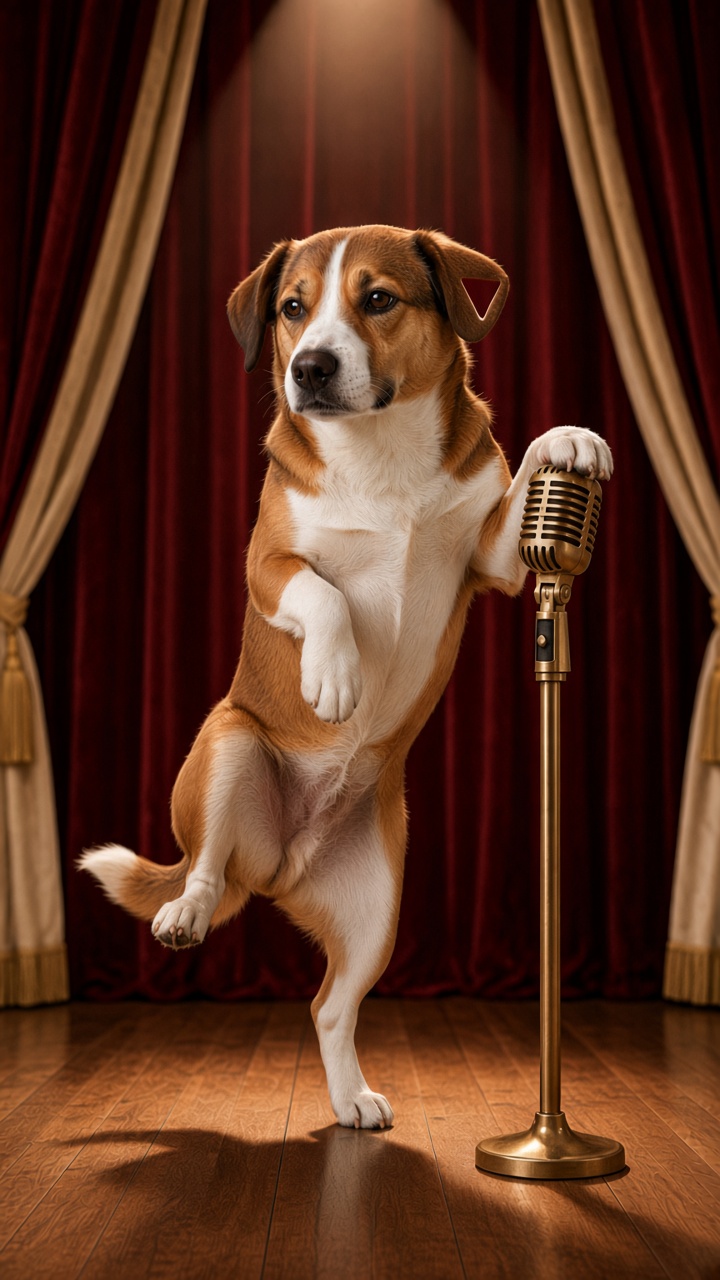
Biscuit, a brown and white dog with a triangular notch in the ear nearer the microphone, standing on one hind leg with a paw on a vintage microphone
Biscuit · Lead the danceExample clip
Upload a pet photoJPEG, PNG, or WebP · up to 8 MB
2. Pick a template

1 credit · 5–10 seconds · 9:16 · 720p

Official cast

Five household pets, one vertical crop

Tap a scene to select that template. These five animals are the only examples on the site.

Scenes

Two templates, shown as posters

The posters are the catalog for this AI pet video generator. Two scenes, not a maze of pages. Tap one and it selects that template in the tool.

Biscuit, a brown and white dog with a triangular notch in the ear nearer the microphone, standing on one hind leg with a paw on a vintage microphone

Biscuit · Lead the dance

Featured template

Stage performance

Lead the dance

Hook
One animal, one warm light, and the room goes quiet.
Setup
A small stage: wood underfoot, a dark curtain, a single spotlight, and a plain microphone. No tour logo and no arena.
Twist
Your pet leads a simple original step — a shift of weight, a turn of the head, a small hop — and the clip ends.

This is the featured template, and it is the one selected when you first open the page. Biscuit, the brown and white dog, is the animal in the poster until you add your own photo. Ginger and Peanut use the same warm stage in the examples below, so you can see a cat and a hamster in the crop as well as a dog.

On this AI pet video generator the featured template is a stage, and the dance is an original step rather than a routine from a video you have seen. There is no chart song under it. A pet dance video, here, means your animal is the one in front, moving for a few seconds, not a copy of a chorus you already know.

The motion is short on purpose. Five to ten seconds is enough to read a lead and not enough to become a concert. When a real clip is connected, it should feel like something you would send, in the vertical shape a phone already uses.

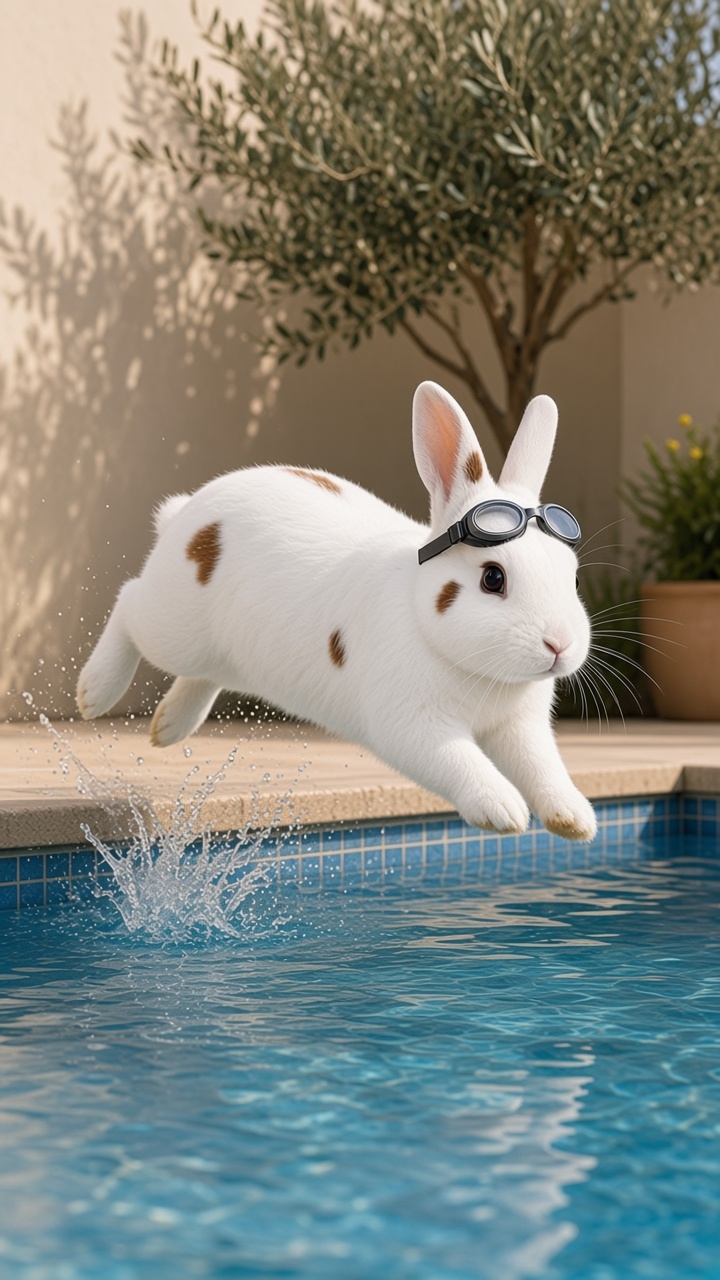
Toast, a white rabbit with brown spots, mid-leap over a home pool with goggles and a splash

Toast · Pool jump

Second template

Dive

Pool jump

Hook
Paws, claws, or paws-and-claws at the edge of the water.
Setup
A private backyard pool in daylight. Plain tile, plain water, no meet, no flags, no badges.
Twist
A short jump toward the water. The clip is a picture of that motion, and then it is over.

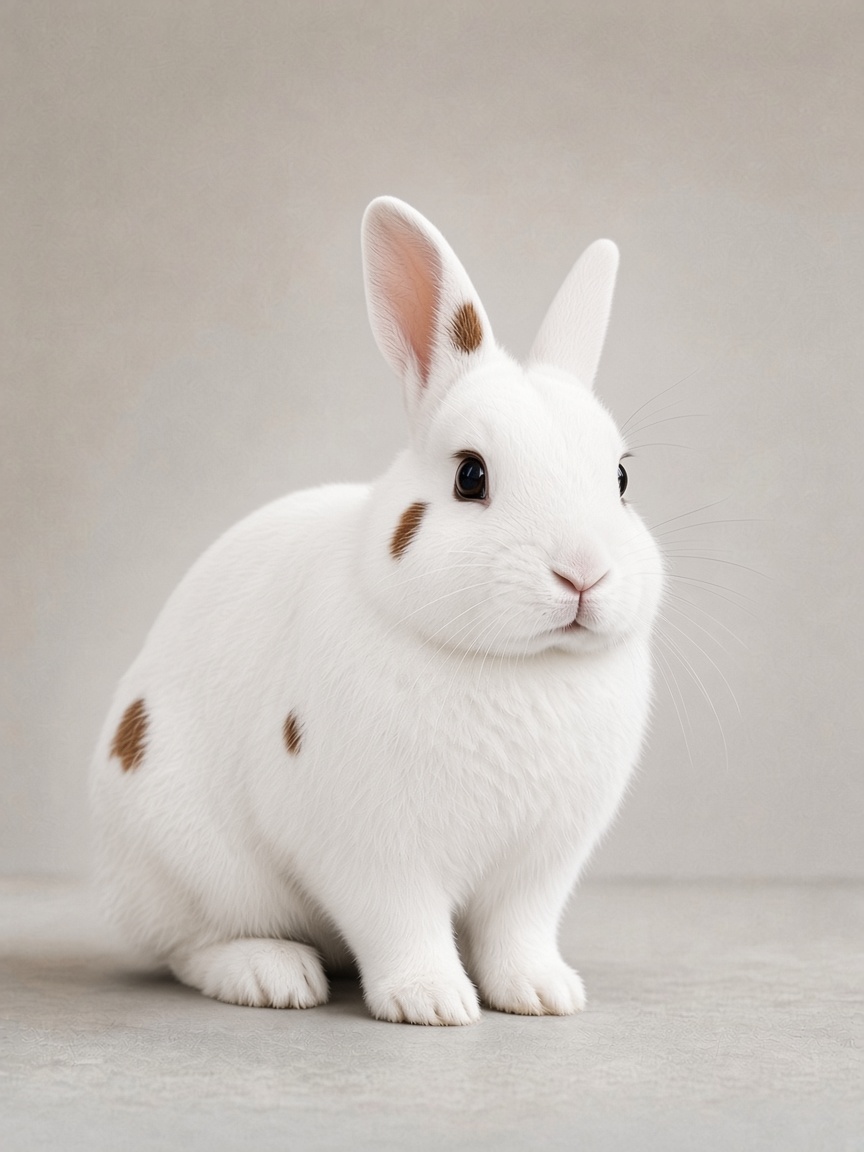
The second template on this AI pet video generator is the dive, a pool jump. Toast, the spotted white rabbit, is the poster until your photo replaces it. Sandy, the bearded dragon, is paired with the same scene in the examples, because a lizard in the air over the same water is a useful test of “would mine look even better.”

The setting stays ordinary: a home pool, daylight, nothing with a league mark. The action is a commitment from the edge toward the water, held inside the same five-to-ten-second file as the stage.

Read this as a generated scene. It is not a lesson in animal care, and it is not a reason to throw a pet into water. Many animals should never be asked to jump into a pool. You can want the clip without wanting the stunt. If you would not ask the live animal to do it, keep it as a video and leave the real pool alone.

Talking pet video, and other scenes, later

A few scenes are named so the direction is clear. They do not have their own pages, and they are not in the picker. None of them borrows a famous song or a dance from a music video.

  • A talking pet video, with a short line chosen inside the template rather than typed into a prompt box.
  • A quieter pet dance video on a living-room floor, smaller than the stage and just as original.
  • A simple look-up from the rug, for people who want a greeting more than a stunt.

How it works

How a pet photo becomes a clip

The useful version of this task is short. This AI pet video generator stays on this page, with the photo, the template, and the button in the first screen. You do not install an app, create an account, or jump to another domain to begin.

There is no app to install and no account to create before you can choose a scene. The form on this page is the product.

  1. 01

    Add a photo

    Use a picture you took of one pet. The face should be easy to see, and the body should be in frame when you can manage it. JPEG, PNG, or WebP, up to 8 MB.

  2. 02

    Pick a template

    Choose Stage performance or Dive on this AI pet video generator. The posters show the crop and the idea. The template decides the room, the light, and the motion. Your photo decides which animal is in it. There is no text box for a prompt.

  3. 03

    Create the clip

    Press Create your pet video. One credit pays for one clip: five to ten seconds, vertical, 720p. The template supplies the motion. Your photo supplies the animal.

Identity

Your pet stays your pet

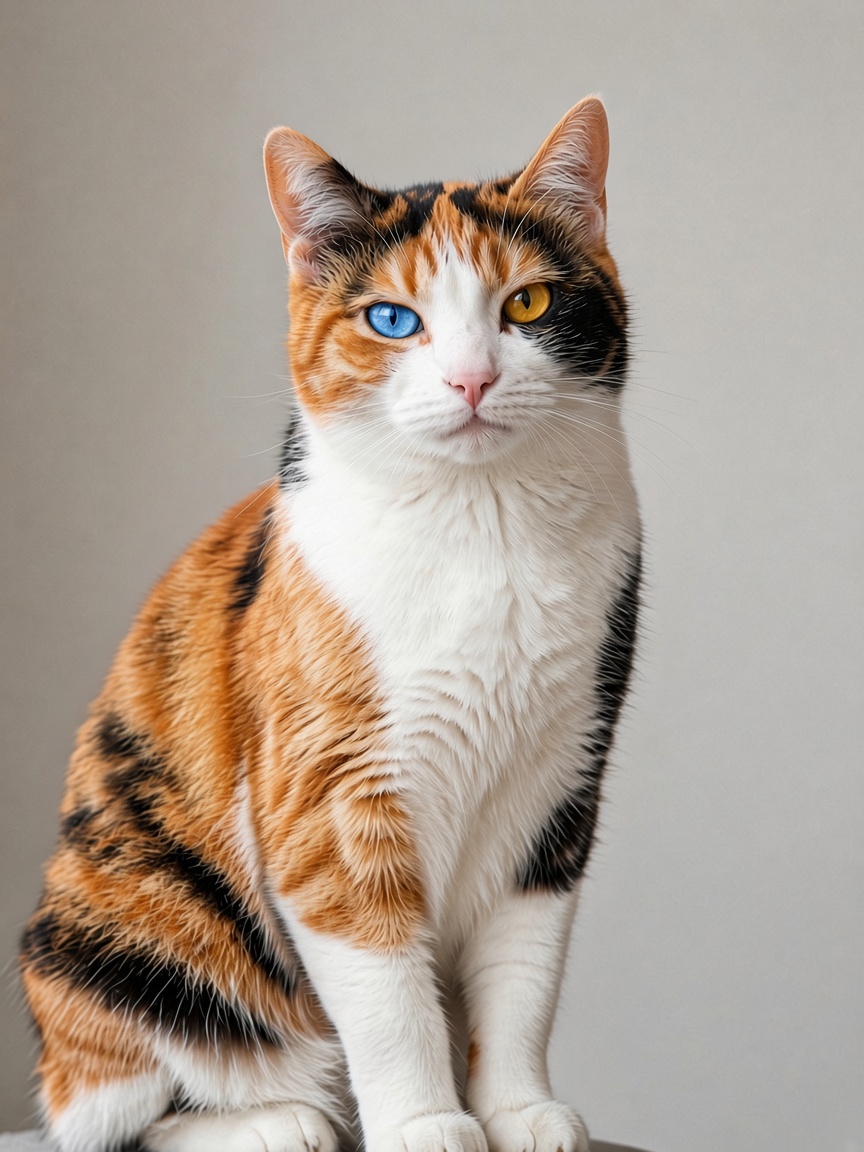
An AI pet video generator earns trust only if the animal in the clip is still the animal in the photo. Breed is not identity. A brown and white dog is not Biscuit unless the blaze, the ears, and the face come through. A calico is not Ginger unless the two different eyes stay put. The promise this page is willing to make, once a video exists, is a narrower one: the photo is the reference, and the template is not allowed to swap in a generic pet of the same species.

That is why the upload on this AI pet video generator sits next to the poster. You should see your own animal in the 9:16 frame and think the next thought the examples are for: mine would look even better once it moves.

Coat edges, a thin tail, or a small spot can still soften from clip to clip. A sharp photo with the face unobstructed gives the template less to invent. Hats, filters, and a second animal in the same picture give it more. The checklist under this section is the practical version of that idea.

The still

Pet photo to video: a picture that can move

Most of the quality, once a clip can be made, will come from the still you start with. A pet photo to video only works when the still already contains the animal you care about, large enough to read. The posters on this page already put each animal in a scene, so you can judge the crop. Your picture does not need a studio. It needs one pet, a visible face, decent light, and enough body for the motion the template is going to ask for.

A careful picture is the whole trick. Bring it to this AI pet video generator and the template has a face and a coat to keep. Skip the beauty filter, the sticker, and the caption burned into the corner. If a person is in the photo, crop them out. Do not upload a child. This tool is for the pet alone.

  1. 01

    One pet

    One animal in the frame. Crop out other pets and people so the template is not guessing who the subject is.

  2. 02

    Face visible

    Eyes and nose readable, not turned fully away. Markings on the face are how the clip stays yours.

  3. 03

    Good light

    Daylight from a window is enough. A heavy color cast or a dark room makes the coat harder to keep.

  4. 04

    Whole body

    For a step or a jump, include the body, legs, and tail if the photo allows. A face-only crop leaves the motion to be invented.

The form takes JPEG, PNG, or WebP, up to 8 MB. HEIC from some phones needs to be exported to JPEG first. Use a photo of the pet alone. It is not added to the examples on this page.

Dogs, cats, rabbits, hamsters, and reptiles are all in range, which is why the examples are those five and not a single breed. Your pet does not have to match Biscuit, Ginger, Toast, Peanut, or Sandy. They are here to show ordinary household animals, not to set a costume.

The file

What a short AI pet video includes

The file this AI pet video generator is built to return is five to ten seconds, vertical, and 720p. Every template aims at that same file. You do not get a length slider, a soundtrack upload, or a choice of 4K. The template cuts the motion. You choose which template.

Vertical 9:16 is the shape of a TikTok, a Reel, or a Short, and of a video you drop into a chat without the phone cropping the subject in half. 720p is a phone-sized picture: sharp enough to watch in the hand, small enough that one credit can stay a single modest purchase instead of a long render. A short AI pet video is a message, not a film. If you need a widescreen cut later, that is a different template, and it does not exist on this page.

The examples below are the five household pets in that same vertical crop, so you can judge the animal before you spend a credit. Your upload replaces the portrait in the tool. The clip you make is yours to download, not a public feed.

Pricing

Pay per video, in credits

People often search for a free AI pet video generator. Looking at the examples is free. A finished clip is not: this AI pet video generator is one credit per video, with no monthly plan.

One credit is one 5–10 second vertical file. Buy a single clip, or a small pack if you want the stage and the dive, or more than one pet. You are not paying to keep a membership warm.

One credit pays for one 5–10 second vertical clip.
PackCreditsPricePer videoWhat it is for
Single1$4$4.00One video, to try a single template with one photo.
Five5$16$3.20Enough to compare the stage and the dive, and to keep a retake.
Fifteen15$39$2.60A small batch if the household has more than one pet.

A credit is spent when a clip is made, and it comes back if that clip fails before you can download it. Unused credits last twelve months. Checkout is not open yet.

That fits the way these clips actually get made. You want one for a birthday, a group chat, or a rainy afternoon, and then you may not want another for weeks.

Examples

From the portrait into the scene

The row under an AI pet video generator should make you picture your own animal in the frame. These five cards are that row, and they are not a wall of customer reviews. There is no star rating, no city, and no quote. Biscuit, Ginger, Toast, Peanut, and Sandy are the official example pets for this site. They are ordinary household animals: a dog, a cat, a rabbit, a hamster, and a bearded dragon.

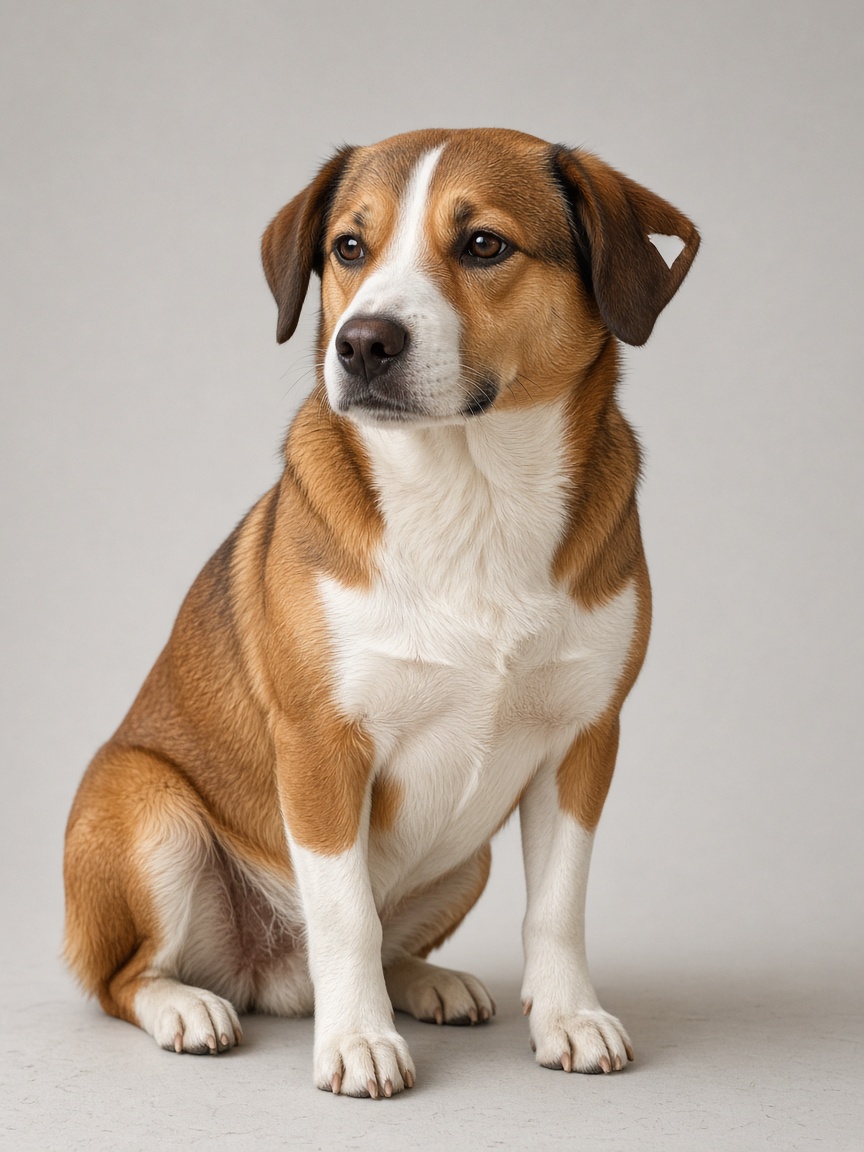
Each card is the same animal in the 9:16 crop the clip uses. Biscuit keeps the notched ear. Ginger keeps the blue eye on the left and the gold eye on the right. Your photo should do the same job for your pet.

  • Biscuit leads the dance

    Biscuit, a brown and white household dog with a white blaze and a notched ear tip, sitting in a gray studio
    Before
    Lead the dance
    After · Lead the dance

    The same dog, the notch in the ear nearer the microphone still showing, up on one hind leg with a paw on a plain microphone.

  • Ginger in a side step

    Ginger, a short-haired calico cat with a blue left eye and a gold right eye, sitting in a gray studio
    Before
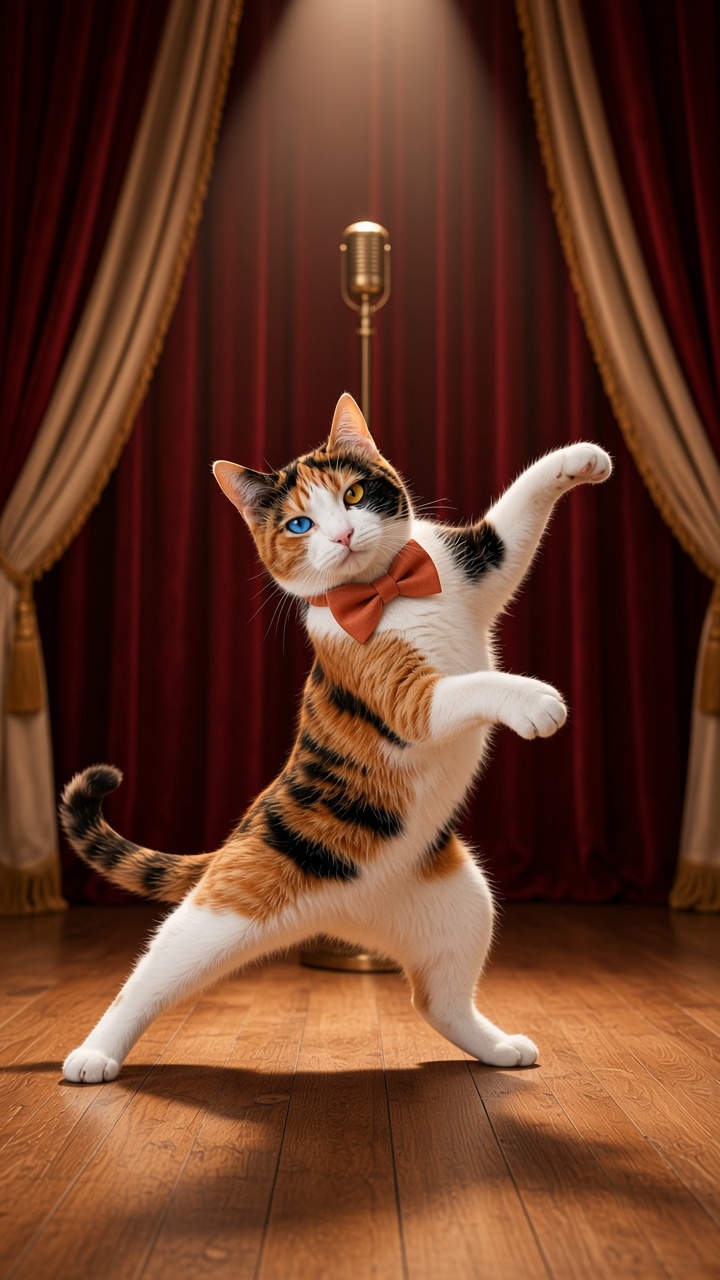
    Lead the dance
    After · Lead the dance

    Short calico coat, pink nose, blue eye on the left and gold eye on the right, in a wide side step with both feet down and the microphone left behind her.

  • Toast over the water

    Toast, a white rabbit with a few small brown spots, sitting in a gray studio
    Before
    Pool jump
    After · Pool jump

    The spotted white rabbit stretched in the air over a plain home pool, goggles up, splash under the front paws.

  • Peanut on one foot

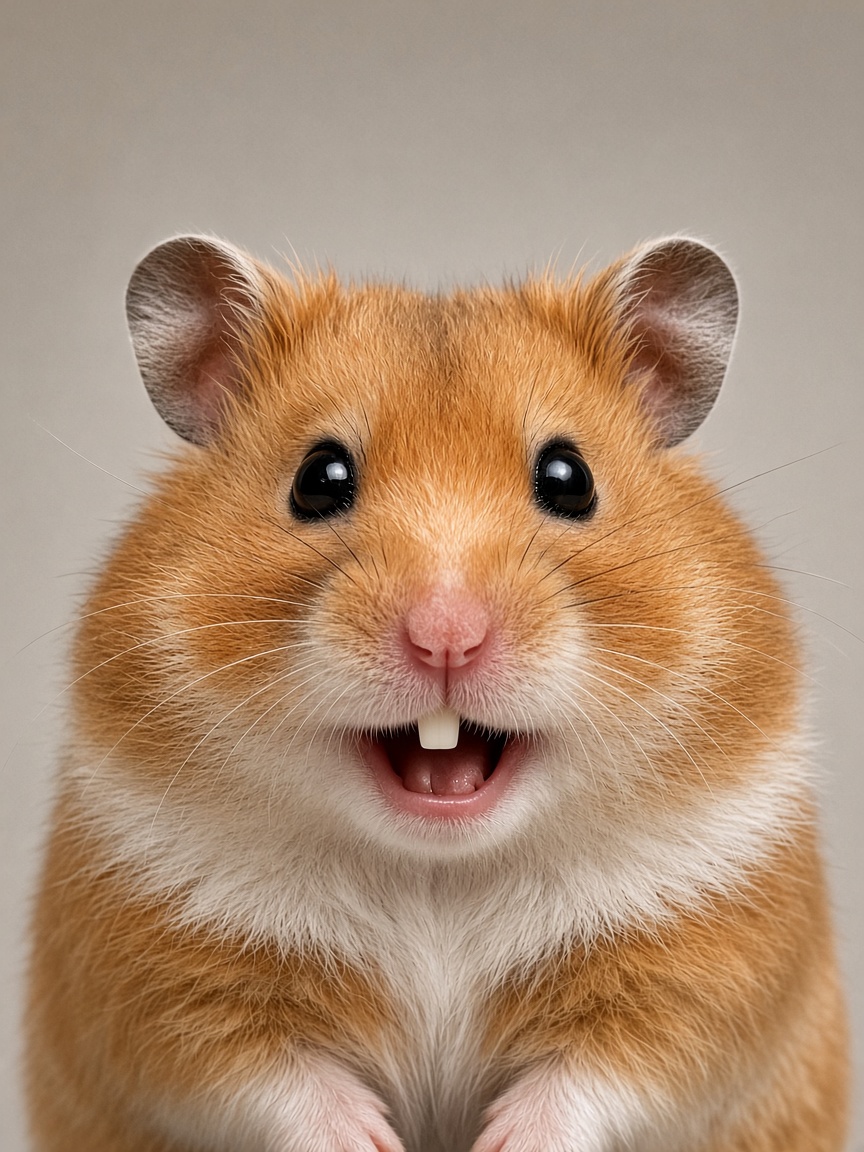
    Peanut, a golden hamster with a white belly, facing the camera in a gray studio
    Before
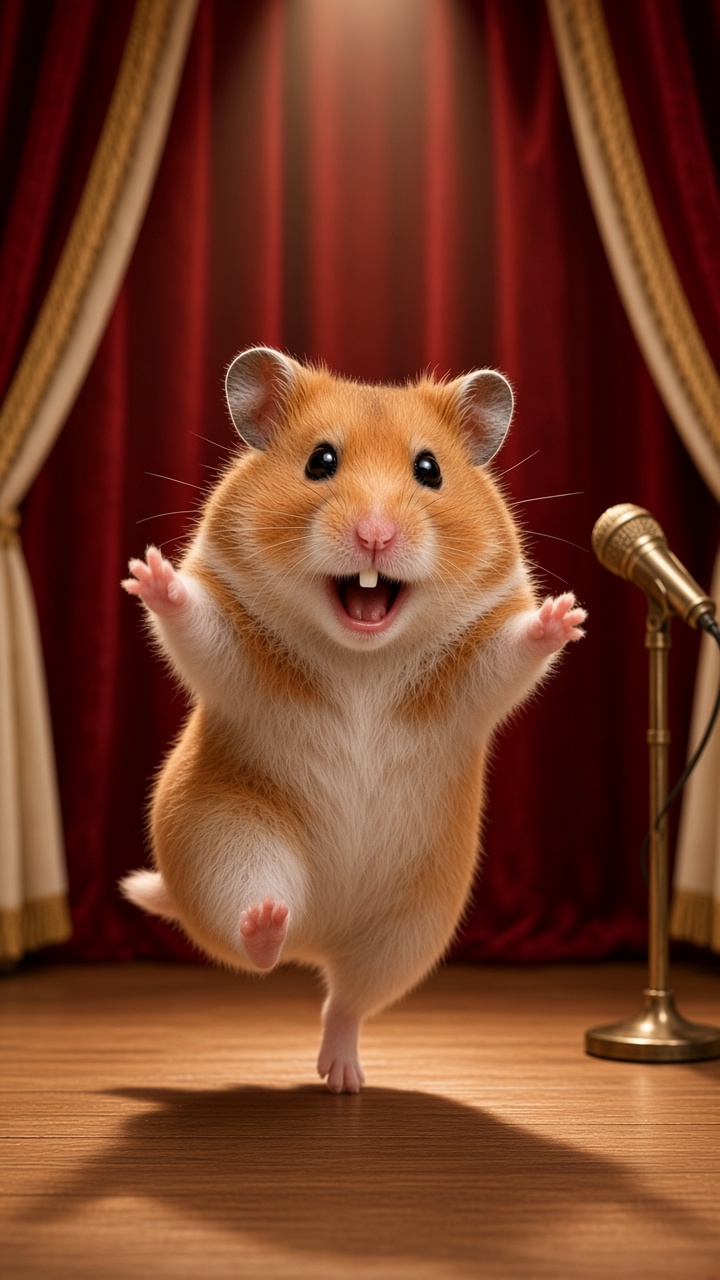
    Lead the dance
    After · Lead the dance

    The golden hamster up on one hind foot, paws lifted, beside a small microphone on the same wood stage.

  • Sandy over the water

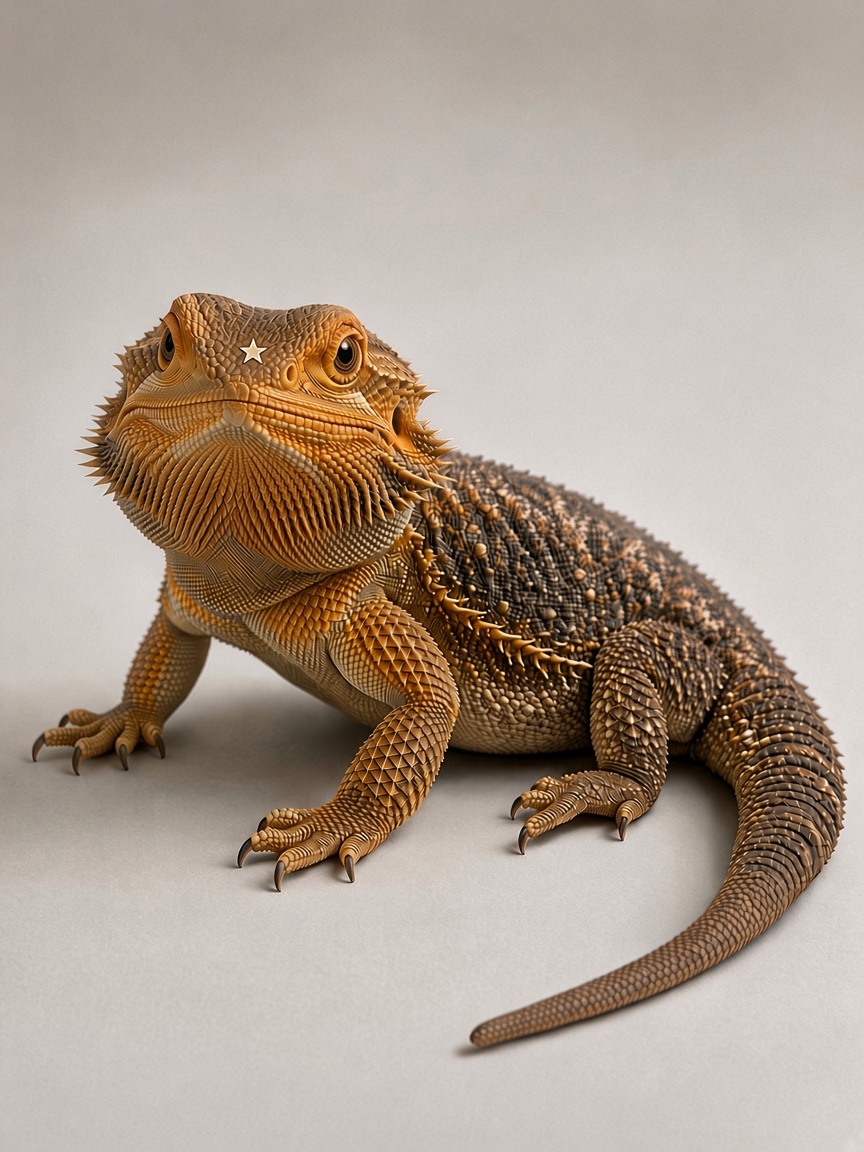
    Sandy, a tan bearded dragon with a pale star-shaped mark on the head, resting on a gray floor
    Before
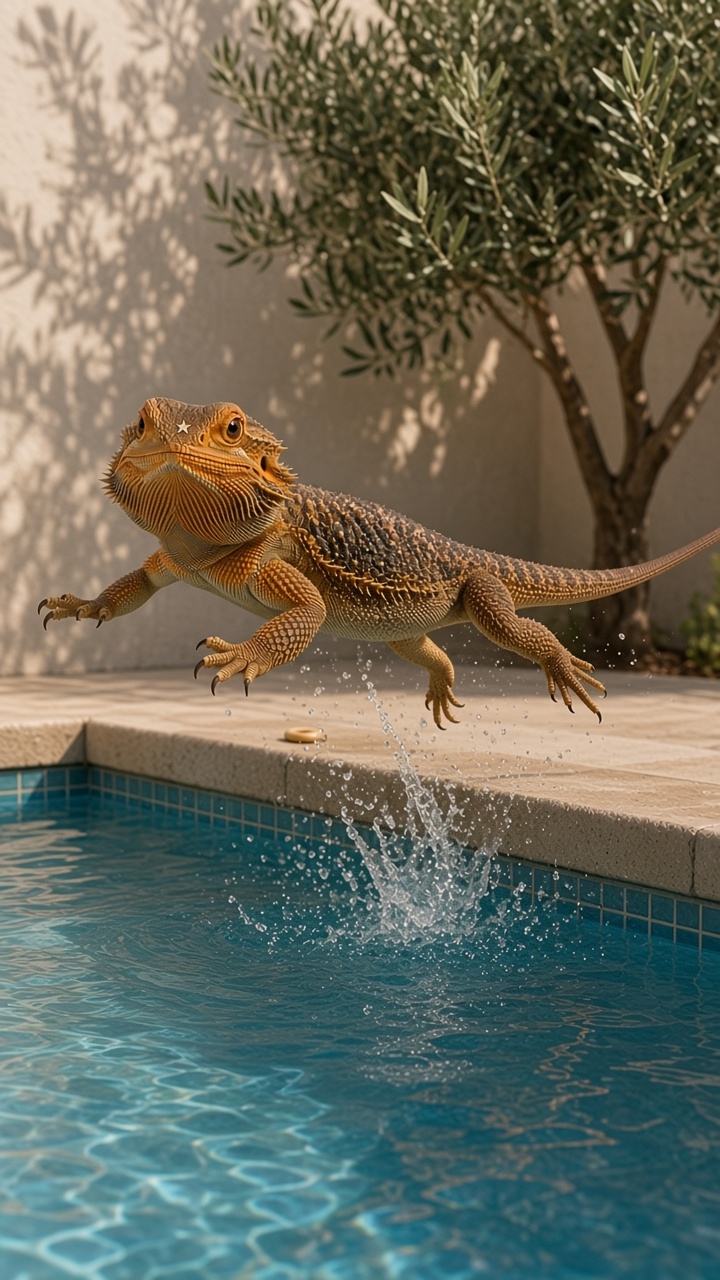
    Pool jump
    After · Pool jump

    The bearded dragon stretched toward the water, star mark still on the forehead. The dive is a picture, not a reason to put a real animal in a pool.

Limits

What this page will not do

  • It will not copy a famous dance, a chart song, a celebrity, or a cartoon character someone else owns.
  • It will not take a photo of a child. If a person is in the frame, crop them out before you upload.
  • It will not send you to an app store, a signup wall, or another domain before you can choose a template.
  • It will not offer a feed of free clips and call that the product. The first screen is the generator.
  • It will not invent reviews, user counts, or a menu of video models to pick from.

The posters are photographs of five ordinary household pets, placed in the scene so you can judge the crop. The template adds the room and the motion. It does not replace the animal.

FAQ

Questions before you upload

Is the finished clip free?

Looking is free. A finished export from this AI pet video generator costs one credit. There is no daily free allowance and no subscription.

Upload a photo, pick the stage or the dive, and press Create your pet video. The price is the pack table above: one credit, one clip.

What photo works best?

One pet, face visible, good light, and the whole body in frame when the template is going to move the legs or the tail. Use the original file rather than a filtered copy. JPEG, PNG, or WebP, up to 8 MB. Bring that kind of still to this AI pet video generator.

A side-on photo of a pet walking away can still be uploaded, but the face is doing the work of keeping identity, so a front or three-quarter view is the better still. Skip group photos. Skip pictures with people, and never upload a child.

How long is the video?

Every template in this AI pet video generator is five to ten seconds. The frame is 9:16 and the picture is 720p. You see that spec before you press the button, and the templates do not hide a different length.

There is no 4K export and no minute-long story. Short is the product of this AI pet video generator. A clip you can watch twice in a chat is the target, not a sequence of scenes edited together.

Can I post an AI pet video on TikTok or Reels?

That is the shape the file is for. You can post a finished file from this AI pet video generator to TikTok, Instagram Reels, or YouTube Shorts: 9:16 at 720p does not need a second crop, and it is also fine in a message.

Label the clip as generated where the platform asks you to. This tool does not supply a famous song. If you add audio in another app, that app’s license applies.

Will it look like my pet?

The point of this AI pet video generator is identity: markings, face, and coat from your photo, not a generic stand-in of the same breed. The template changes the room and the motion. It should not change who the animal is.

Results still vary from clip to clip. A clear, well-lit photo of one pet gives the best chance. Ears, a thin tail, or a small spot can soften. If the still is blurry, filtered, or crowded, the clip has to invent more, and it will look less like the animal you live with.

Do I write a prompt, or ask for a talking pet?

You do not write a prompt. The form has a photo and two templates. If you have used an AI pet video maker that starts with an empty text box, this page is the other shape: the scene is already written, and you point at it.

A talking pet video is a likely later template, still on this AI pet video generator rather than on its own ranking page. The line would be part of that template, not something you script in a box. It is not in the picker now. The stage template is the pet dance video available today as a choice, and the step is an original one, not a named routine from a pop song or a show.

What does a credit cost?

One credit is $4, five credits are $16, and fifteen credits are $39. One credit is one video from this AI pet video generator. A failed clip returns the credit. Unused credits last twelve months.

There is no subscription. You buy credits when you want another clip, and the button shows that a clip costs one credit before you confirm.

Which model makes the video?

Clips are made with one model, Seedance 2.0, rather than a menu of engines you have to choose. You pick the template. The page does not ask you to pick a provider.

The model is asked to keep the face, coat, and markings from your photo. It changes the room and the motion. It is not a face-swap of a celebrity, and it is not a stack of different video brands.

Who are the example pets, and where does my photo go?

Biscuit, Ginger, Toast, Peanut, and Sandy are the example pets on this site, not customers and not celebrities. Your upload is not published and is not added to that row.

There is no account on this page, so there is no public library of past clips. The privacy page says what happens to a photo you upload.
Start with the photo you already have

If the posters on this AI pet video generator did their job, you are already testing a different animal in the frame. That animal should be the one in your camera roll. Add the photo, leave the stage selected or switch to the dive, and press Create your pet video.

When you are ready, the AI pet video generator is the form at the top of this page. The two scenes, the prices, and the five example pets are all here so you can decide with the facts in front of you.

Start with a photo